Help

Connected apps

Using Bilbee from Claude, ChatGPT or the command line.

On this page
  1. Connected apps
  2. Common questions

Connected apps

Connected apps, on the Security tab of your Account page, lets Claude, ChatGPT or the Bilbee command line work with your books. Copy the server address and add Bilbee as a custom connector in the app; How to connect Claude, ChatGPT or the command line has the steps. The first time, you sign in to Bilbee and choose Connect, and we email you whenever a new app is connected.
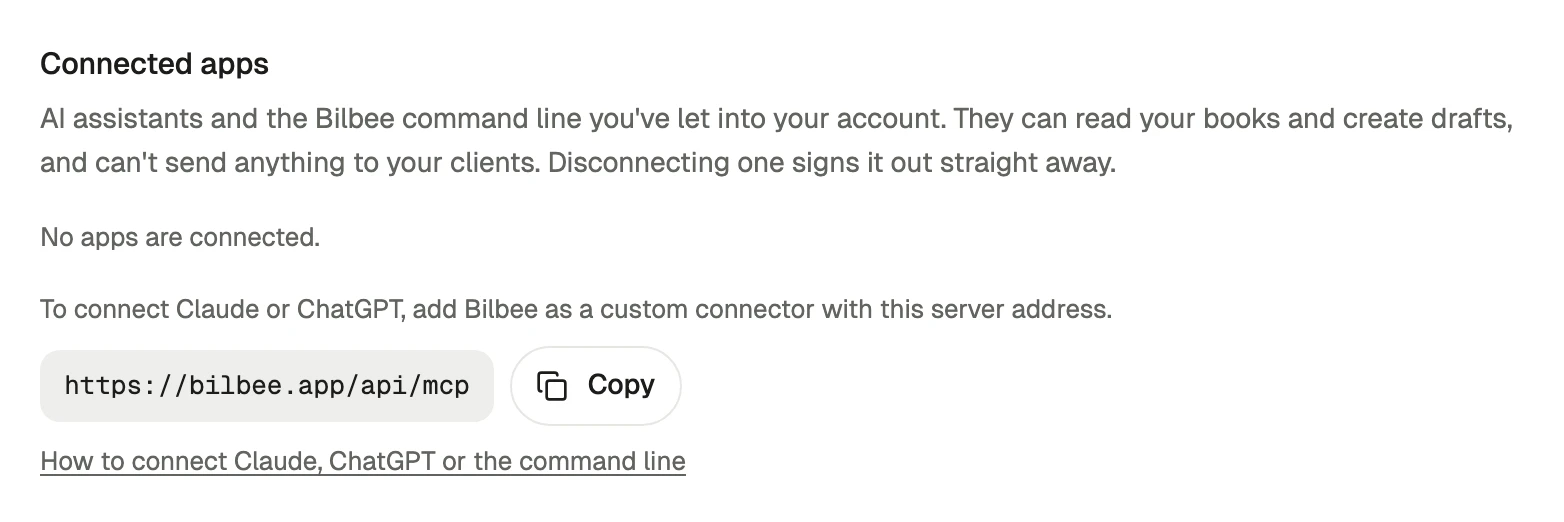
The Connected apps section of the account's Security tab: none connected yet, and the server address to add Bilbee to Claude or ChatGPT.

A connected app can read your invoices, quotes, clients, expenses, time and tax figures, and create and edit drafts. It can't send anything to your clients, record payments or lodge your BAS.

Each app is listed with when it was connected and last active. Disconnect signs it out straight away. Connected apps come with Pro.

Plans with connected apps: Pro.

Common questions

Can I use Bilbee from Claude, ChatGPT or the command line?

Yes, on Pro. On the Security tab of your Account page, under Connected apps, copy the server address, then follow How to connect Claude, ChatGPT or the command line, just below it. The first time, you sign in to Bilbee and approve the app, and we email you whenever a new one is connected.

A connected app can read your invoices, quotes, clients, expenses, time and tax figures, and create and edit drafts. It can't send anything to your clients, record payments or lodge your BAS. An expense it adds waits on your Expenses page under To review until you save it.

To stop one, choose Disconnect next to it under Connected apps. It's signed out straight away.

Less admin. More time for your business.

Add your business details, send an invoice, record an expense. The estimate does the rest.

Start free

Free to start: five invoices a month, no card.